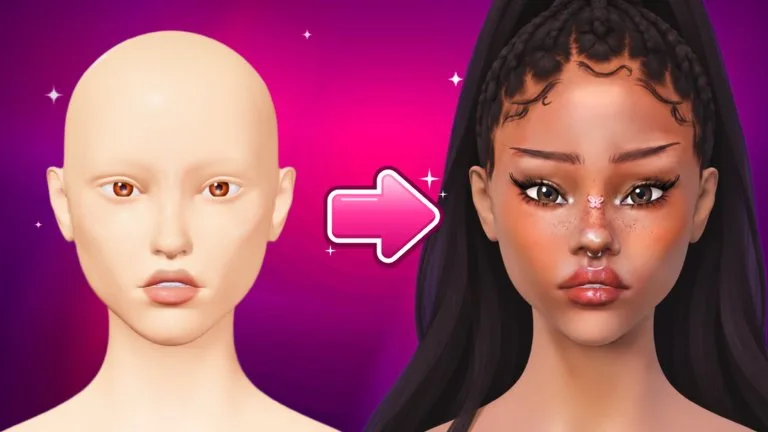
STYLE is the third tab on the left, next to MAKEUP and SCULPT. It holds Head, Eyes, Hair, Piercing, and Pose. Paint stays on the MAKEUP tab. Face shape stays on SCULPT.
Head bases
The Help Center lists three head bases, and all of them are free:
| Head base | Cost | What stays |
|---|---|---|
| Classic | Free | Remembered for rounds and Freeplay |
| Aniya | Free | Makeup, lashes, and piercings fit it |
| Mina | Free | Makeup, lashes, and piercings fit it |
Your pick is remembered. Everything else on the bust starts clean each contest round. Lookbook cards show a small head so you can see which base a saved look used. The Help Center does not publish different stats for the three bases, so choose the face you want to paint on rather than a hidden bonus.
Eyes, hair, and lashes
Under STYLE, then EYES, a few eye styles are free. Fancy styles, including hearts, stars, and cat eyes, come from the shop. The IRIS | WHITES switch chooses which part you colour.
STYLE, then HAIR, has a featured list. SEARCH HAIR finds more from the Roblox catalog. A hair with a rainbow chip can be recoloured. ADJUST resizes it and nudges it up, down, sideways, back, or forward. Hair in this game is a try-on. You do not have to buy it to wear it here. The buy button is only for your own Roblox avatar.
Lashes live on the LASHES shelf under MAKEUP. Some strips are free, some unlock as you rank up, and some are in the shop. Some sets include bottom lashes. While that shelf is open, the colour panel colours the lashes.
Lash clusters are a VIP tool. Place clusters one by one along the lash line. Each cluster has its own Width, Length, Lift, and colour. Save a set under MY LASHES to put it on again.
Piercings, stones, poses, and sprays
Ready-made piercing sets can be worn by anyone. Bigger sets are in the shop. Pick a metal colour, then ADJUST size and position. VIP opens Custom placement, where you place each piece yourself.
Rhinestones are a VIP tool on the Tools shelf: round, oval, heart, and star. Tap the face to place one, set colour and size, and place a matching pair when Mirror is on.
STYLE, then POSE, sets an expression such as a wink, a smirk, or a kiss. A couple are free and more unlock as you rank up. You can keep painting while a pose is on. During voting, a cyan button on your own card switches among poses you have unlocked, and everyone sees the change.
Setting sprays are on the SPRAYS shelf under MAKEUP. Matte takes shine off the skin, Glow adds a dewy sheen, and Natural sits between them.
Individual entries are listed under Head Bases and Tools and Shop.