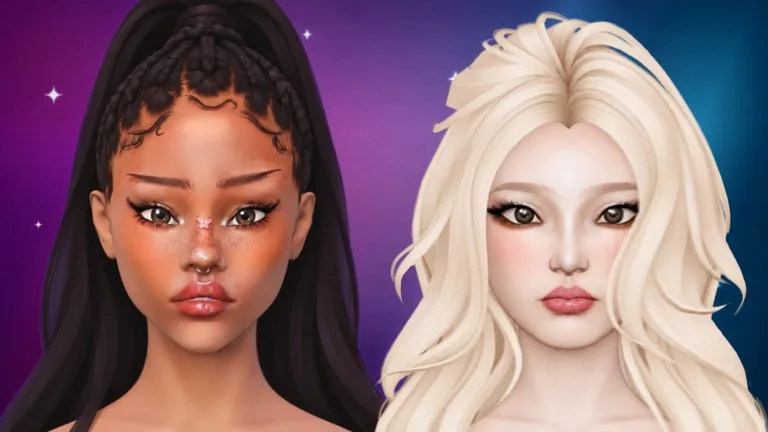
Open MAKEUP on the left, pick a product such as foundation, blush, liner, or lipstick, pick a colour on the right, then draw on the face.
Controls
| Device | Paint | Turn the head | Zoom |
|---|---|---|---|
| PC | Left drag | Right drag | Mouse wheel |
| Phone or tablet | One finger on the face | Drag the background | Pinch |
Zooming in makes every brush finer. Each product remembers its own Size, Strength, and Softness.
| Setting | What it changes |
|---|---|
| Size | How big the brush is |
| Strength | How much colour one stroke lays down |
| Softness | High for a blended edge, low for a crisp line |
| Mirror | Paints both sides at once. It starts on. Turn it off on the bottom bar for a one-sided look. |
| Stabilizer | Smooths shaky brush lines. The brush ring turns pink while it is on. It does not apply to stamps or stones. |
Layers, undo, and clear
You always paint on the selected layer. Arrows reorder a layer, the pencil renames it, and the eye hides it. A hidden layer takes no paint. If the brush seems dead, check the eye before you rejoin.
MERGE ALL squashes the visible layers into one. Undo brings them back. On PC, Ctrl+Z undoes and Ctrl+Y redoes. Undo walks back through strokes, stamps, lash clusters, rhinestones, piercings, and layer changes. Sculpt slider moves are not part of Undo.
CLEAR empties the selected layer after a confirmation, and you can still undo it. A shop pass raises the layer limit.
Blender and Wipe sit above the left panel. Blender smudges paint that is already there. Wipe rubs it off. Tap the lit button again to return to the previous product.
Stamps and colour
Brow Stamps print a whole brow in one press. With Mirror on, you get both brows. Shape Stamps print hearts, stars, sparkles, and ready-made eyeliner wings. Hover for a preview, tilt with the slider or mouse wheel, then click. On a phone, hold to aim, slide to move, and lift to place. A stamp becomes normal paint, so you can blend, wipe, or paint over it.
Ready-made palettes live on the Colour page. Neon glows and Chrome shines like metal. Those two palettes are VIP. Custom mixes any colour and can save favourites. The pipette, in Custom or a colour popup, copies the exact shade of skin or paint at the spot you tap. It does not read hair, lashes, or eyes. Use it to match foundation to the skin tone.
Skin tone is its own control on the right panel, or the rainbow block for any shade. After you pick a product you return to your colours, so you do not recolour the skin by accident.
Lip Gloss adds a wet shine and Highlighter a soft shimmer. The shine shows when you pause or lift the brush. Glitter and Freckles brushes sprinkle dots as you draw.
Camera
FACE, EYES, and LIPS jump to a ready-made view. The small square by the bottom bar opens the camera pad: arrows slide, plus and minus zoom, and the curved arrows turn the head. Camera Lock stops stray touches from moving the view. The pad itself still works while the view is locked.
If a very large brush with Mirror on makes the game lag, use a smaller brush, merge finished layers, or lower graphics quality in the Roblox menu. More fixes are in troubleshooting.